Hosting
How to run a guest photo wall at your company Christmas party
A practical guide to running a QR photo wall at a corporate event: where to put the sign, how to moderate submissions, and what to send everyone afterward.
9 min read
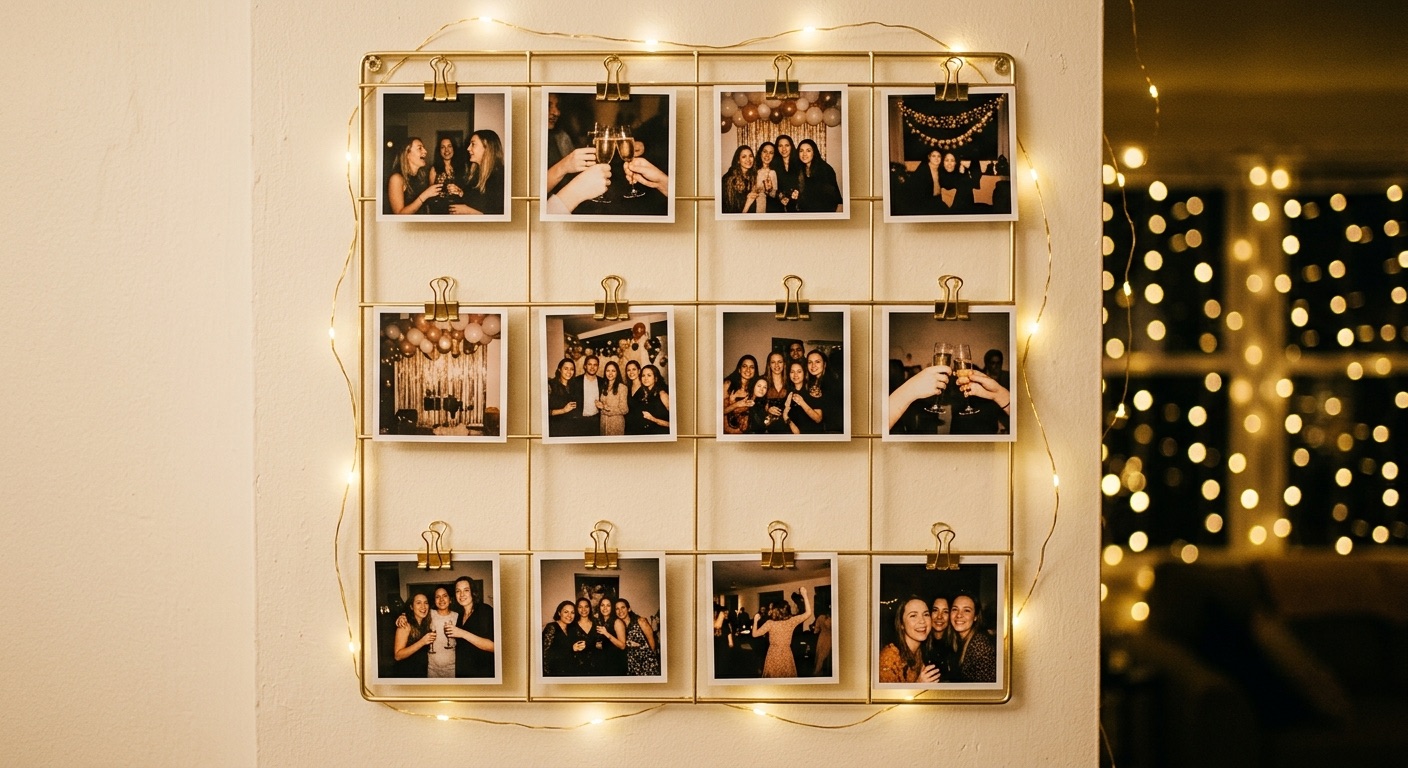
Every company Christmas party generates roughly four hundred photographs. They are distributed as follows: three hundred and eighty on individual phones, never seen again; nineteen in a group chat that scrolls past by Tuesday; and one, badly lit, on the company intranet in February.
A guest photo wall is the fix, and it is a smaller job than it sounds. One printed sign, one QR code, and a decision about moderation.
What a photo wall actually is
A QR code, displayed at the event, that guests scan to add photos, short videos, and written messages to a shared collection. No app to download, no account to make — the objection you are about to hear from the finance team is that nobody will bother, and the reason they will bother is that it takes eleven seconds and requires nothing they don't already have.
Afterwards, the host gets one link containing everything, and sends it to everyone who came.
Where to put the sign
This is the entire difference between a wall with two hundred submissions and a wall with four. Placement is not a detail.
- At the bar. People queue at the bar. Queueing people look at their phones. This is the single highest-yield placement and it is not close.
- On every table, as a small card or table tent. Table cards outperform one large sign at the entrance by a wide margin, because the entrance is where coats and small talk happen, not scanning.
- Next to the food. Same logic as the bar.
- Not by the entrance only. Everyone walks past it while holding a coat and talking to someone. Nobody scans while holding a coat.
- Not on a screen behind the stage. Too far to scan, and it's dark.
The moderation question
It is a corporate event with an open bar. Somebody will submit something regrettable, and it will not be malicious — it will be a photo taken at an unkind angle of a colleague who did not consent to being photographed at that angle.
So: moderation on. Submissions land in a host dashboard and are approved before they appear on the shared wall. On Karera's Corporate Starter this is the default rather than an option, for exactly this reason. Two consequences worth planning for:
- Guests do not see their photo appear instantly, so the sign should say "photos are reviewed before they're shared" — otherwise people submit twice, assuming it failed.
- Somebody has to actually do the approving. Assign it to a named person, not "the organising committee", and expect to spend twenty minutes on it the next morning.
What to ask for
An empty prompt produces empty results. "Add your photos" gets photos of the ceiling. A specific prompt gets material worth keeping.
- "A photo with someone from a different team." — produces the pictures nobody else has.
- "One thing this team did this year that you're proud of." — the line that ends up in the January all-hands.
- "Your worst photo of yourself tonight." — surprisingly effective, and it defuses the self-consciousness that stops people submitting at all.
For a department field — useful when four hundred people from six offices are all contributing — the Corporate Starter includes an optional team field on the submission form, so the finished wall can be read by group rather than as one undifferentiated pile.
A timeline that works
01
Two weeks out — set it up
Create the wall, write the prompt, decide who moderates. Download the printable QR sign as a PDF.
02
One week out — print
One A4 sign per bar and food station, plus a small card per table. Printing is the step people leave until the afternoon of, and the office printer knows this.
03
On the night — announce it once
One sentence from whoever is already speaking. Then leave it alone.
04
The next morning — moderate
Twenty minutes with coffee. Approve, remove the two you need to remove, done.
05
Within three days — send it
One link to everyone who came, while they still remember the night. Send it in February and it reads as an archive rather than a memory.
The wall's value is entirely in being shared while the evening is still recent.
What it replaces
There are two Event Wall tiers: the standard wall, and the Corporate Starter — moderation on, department field, built for company events. Both are delivered digitally, so there is nothing to ship and no lead time beyond printing your own sign.
The comparison is against a professional event photographer at several hundred dollars for a few hours, who produces better individual photographs and none of the four hundred that guests took themselves. Many events want both. Few events want neither, which is what most events currently have.
If you want the underlying mechanics — what scanning actually opens, how privacy works — the explainer covers it.
Questions, answered
How does a QR photo wall work at an event?
A QR code is displayed on signs and table cards. Guests scan it with their phone camera, which opens a submission page where they add photos, short videos, and messages. No app or account is needed. The host reviews submissions and shares the finished wall afterward.
Where should you place the QR code at a party?
At the bar and on every table. Queueing guests look at their phones, which makes the bar the highest-yield spot. An entrance-only sign performs poorly because guests walk past it holding coats.
Should photo submissions be moderated at a corporate event?
Yes. At an event with an open bar, someone will submit an unflattering photo of a colleague. Karera's Corporate Starter has moderation on by default — submissions land in a host dashboard for approval before appearing on the shared wall.
What do the corporate event photo wall tiers include?
The standard Event Wall covers the QR wall itself; the Corporate Starter adds moderation on by default and an optional department field. Both are delivered digitally, so there is nothing to ship.
Do guests need to download an app to contribute?
No. The QR code opens in the phone's normal browser. Guests add photos and messages directly, with no download and no sign-up.
How soon after the event should you share the wall?
Within three days. The wall's value comes from being shared while the evening is still recent — sent weeks later it reads as an archive rather than a memory.
Karera
Because some moments deserve to stay.
Shop the CollectionKeep reading
The Explainer
What Is a QR Memory Card?
A QR memory card is a printed card that opens a private album of photos, videos, and messages when scanned. How it works, what it costs, what it replaces.
Gift Guide
Retirement & Farewell Gifts for a Coworker
Eleven farewell gift ideas that outlast the card everyone signed in the break room, including how to collect messages from a whole team without chasing.
Comments
Loading comments…